
Table Of Contents
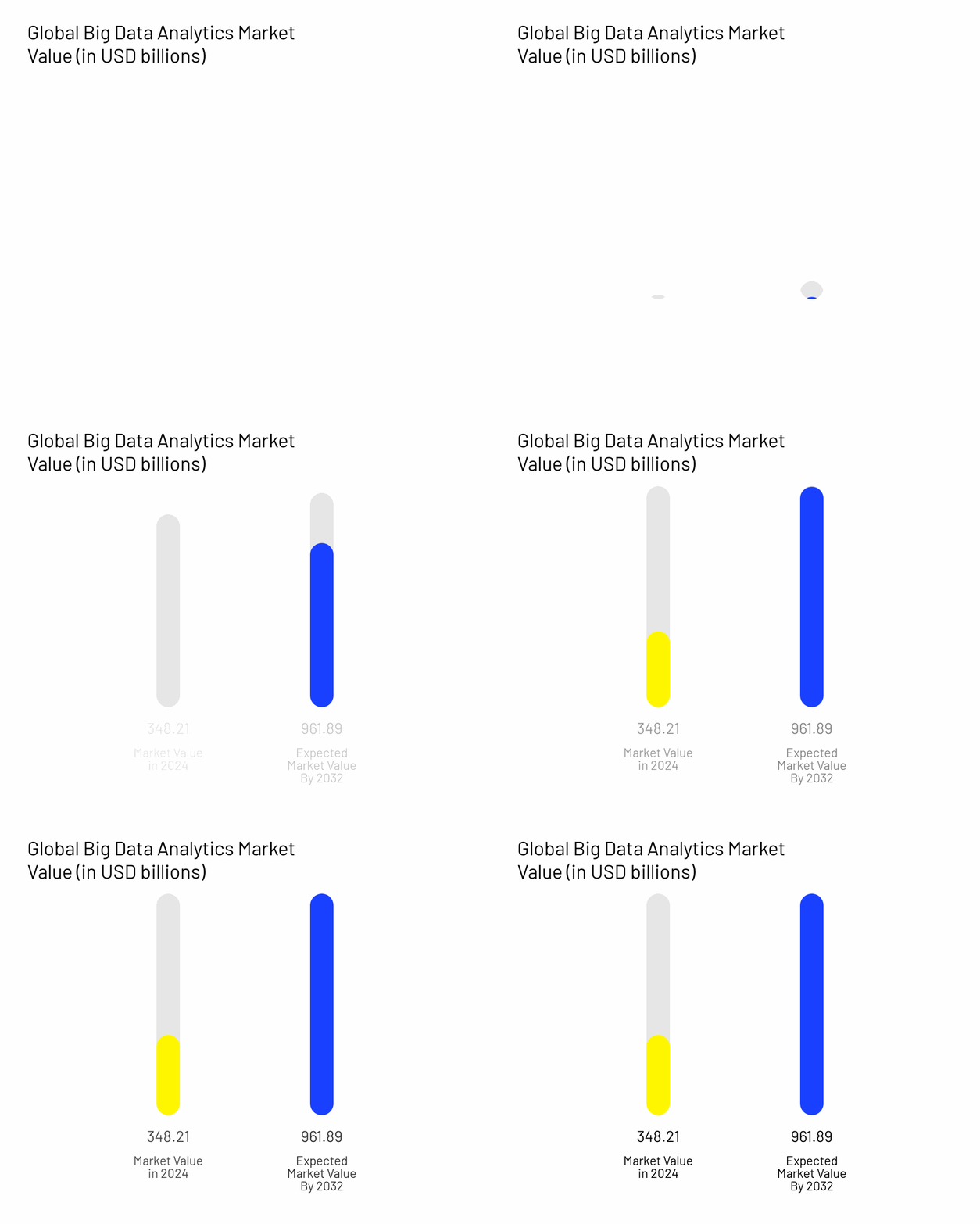
The global big data analytics market is valued at $348.21 billion in 2025. Yet many websites still struggle with basic tracking. Events don’t fire, reports don’t match, and data is often incomplete.
Most of these issues come from using the wrong tools, or using the right ones the wrong way.
This post covers the best analytics tools in 2025, focusing on options that support clean and accurate tracking for ecommerce.
Top 7 Analytics Tools in 2025 (With Use Cases)
Below are seven of the best analytics tools in 2025. Each one helps collect, measure, or analyze data in a different way. Some focus on privacy, others on advanced reporting. All of them are commonly used in ecommerce tracking setups.
1. Google Analytics 4 (GA4)
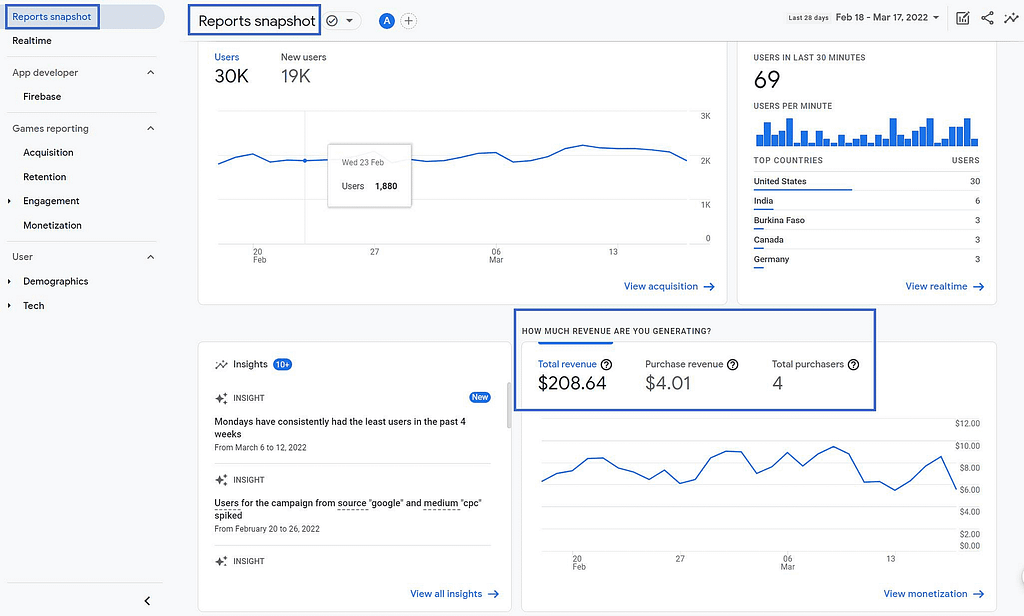
Google Analytics 4 is one of the best analytics tools for tracking websites and apps.
It uses an event-based model, which means you can track clicks, views, and custom actions in more detail.
GA4 works well with Google Tag Manager and supports both browser and server-side setups.
It’s especially useful for ecommerce brands that want to measure user behavior across the full journey.
Features of Google Analytics 4
- Tracks user events like page views, clicks, purchases, and form submissions
- Offers automatic tracking for scrolls, file downloads, video plays, etc.
- Supports both web and mobile app data in one property
- Includes predictive metrics (purchase probability, churn risk)
- Connects directly with Google Ads, BigQuery, and other tools
Pricing
- Free version available with core features and reporting
- GA4 360 (enterprise version) starts around $50,000/year
Limitations
- Setup can be complex without a proper data layer
- Some reports may use sampled data
- Advanced features often require technical configuration
2. Amplitude
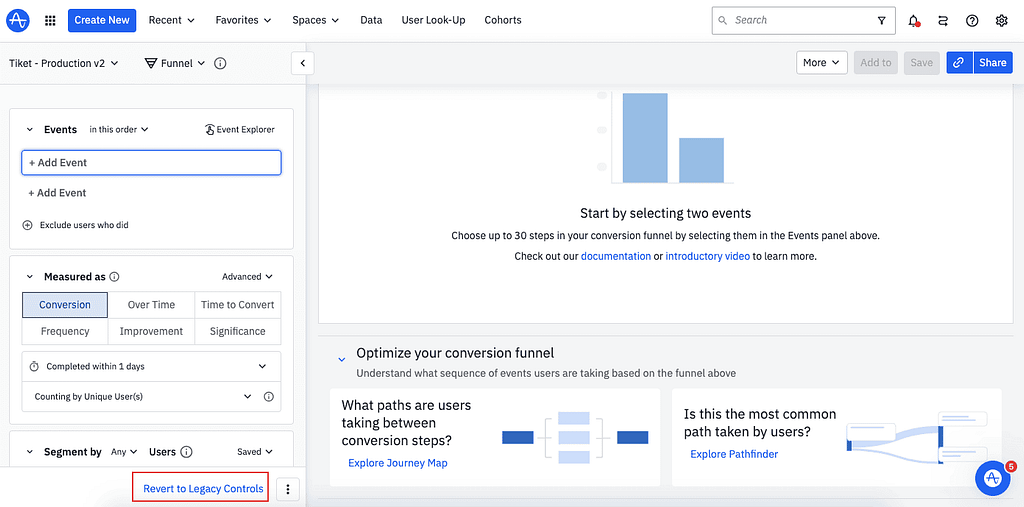
Amplitude is a powerful player among the best analytics tools for tracking user behavior over time.
It focuses on product and engagement analytics. It works well for ecommerce brands that need to track funnels, retention, and experiment results.
Features of Amplitude
- Event-based tracking for detailed user actions
- Funnels, cohorts, and behavioral segmentation
- Session replay and heatmaps to review user flows
- Built-in experimentation and feature flags in paid tiers
- Predictive insights, e.g., churn risk and personalization targeting
Pricing of Amplitude
- Starter (Free): Tracks up to 50 000 monthly users (MTUs). Includes templates, session replay, unlimited feature flags, and sources.
- Plus: From ~$61/month for 1 000 MTUs. Adds behavioral cohorts, custom audiences, and priority support.
- Growth: Custom pricing. Supports large teams with advanced analytics, SSO, onboarding support.
- Enterprise: For complex needs, includes causal insights, root-cause analysis, advanced governance.
Limitations of Amplitude
- Costs grow quickly with more users and events
- Can be complex for small teams without data governance
- Requires event taxonomy planning to avoid messy data
3. Piwik PRO
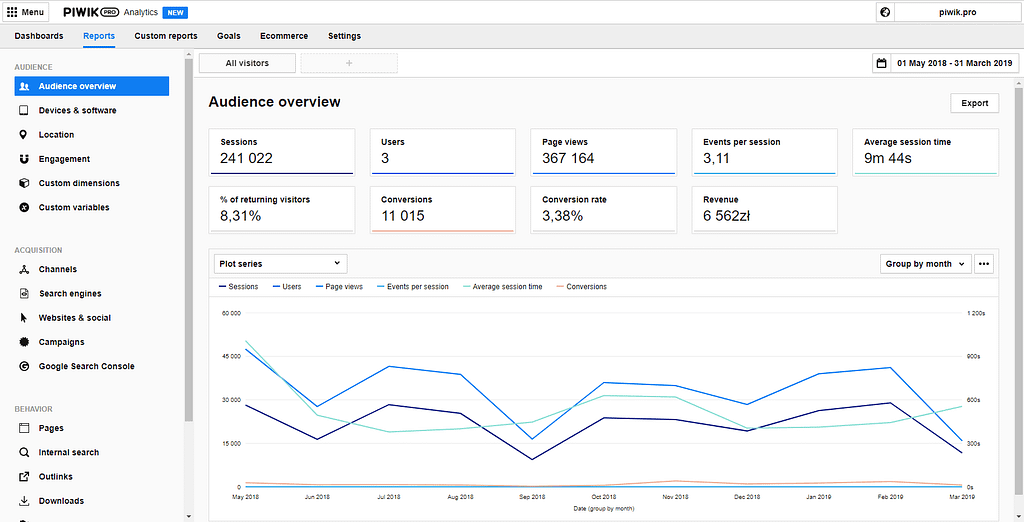
Piwik PRO is a privacy-focused analytics suite used by many ecommerce and regulated sites.
It combines web and app tracking with tools for tag management, consent management, and customer data activation.
It’s a strong choice among the best analytics tools when data control and compliance matter.
Features of Piwik PRO
- Tracks web and mobile events with no sampling and access to raw data
- Built-in tag manager, consent management, and customer data platform (CDP) in one interface
- Offers ecommerce metrics like AOV, CLV, funnels, heatmaps, and real-time dashboards
- Complies with GDPR, CCPA, HIPAA and optionally hosts in EU, US, SEA, or private cloud
Pricing of Piwik PRO
- Core (Free): up to 500 K monthly actions, 14‑month retention, EU cloud hosting, four modules included
- Business: starts at ~€35/month, scales to 2 M actions and 25‑month retention, includes support
- Enterprise: custom pricing (from ~€10 995/year), unlimited actions, private cloud, dedicated onboarding/support
Limitations of Piwik PRO
- Can be overwhelming for small teams due to multiple modules and configurations
- Free tier has lower action limits and shorter data retention
- Pricing scales fast with more traffic or enterprise needs
4. Mixpanel
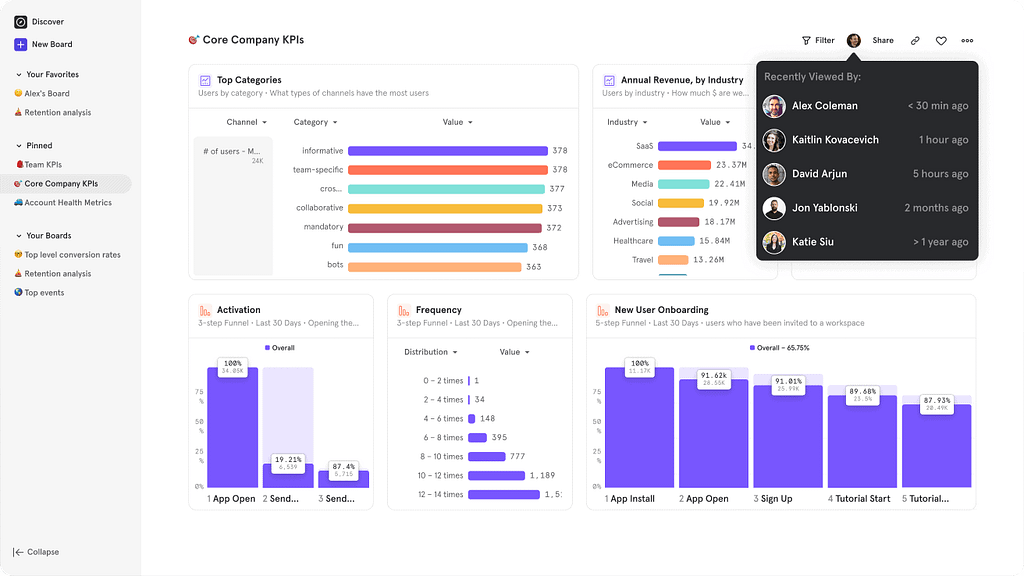
Mixpanel focuses on event-based analytics. It helps track specific user actions, like add-to-carts or sign-ups.
It’s considered one of the best analytics tools for ecommerce and product teams that want to analyze customer behavior in detail.
Features of Mixpanel
- Tracks up to 1 million events per month for free, with clear workflows for setting up funnels, retention, and insights
- Includes session replays (10k–20k monthly) to see how users interact with the site
- Offers behavioral segmentation, custom dashboards, and saved reports to understand user groups
- Paid tiers include add-ons like group analytics and data pipelines, plus advanced governance controls
Pricing of Mixpanel
- Free: Up to 1 M events/month, includes core reports, 10k session replays, unlimited collaborators
- Growth: Starts at ~$24/month. Includes unlimited saved reports, 20k session replays, advanced analytics, and event-based pricing after 1 M events
- Enterprise: Custom pricing. Designed for large volumes (up to 1T+ events/month), with full governance, SSO, experiments, and premium support
Limitations of Mixpanel
- Costs can rise quickly, as pricing scales with event volume
- Can be complex for small teams without solid event planning
- Requires clear event definitions to avoid messy data
5. Umami
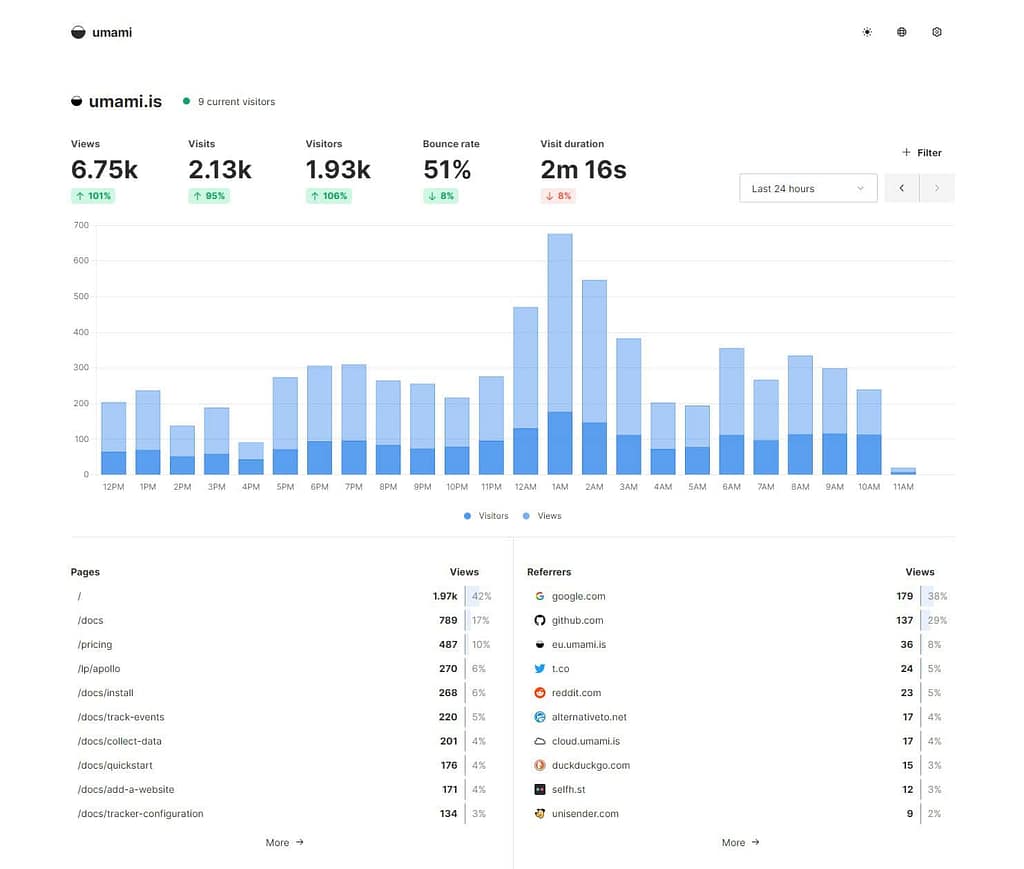
Umami is one of the simplest best analytics tools you can self-host.
It’s privacy-focused and cookie-free. The tracking script is under 2 KB.
It suits small ecommerce teams that need clean, basic tracking without complexity or heavy processing.
Features of Umami
- Tracks page views, referrers, bounce rate, and trends in real time
- Allows custom event tracking (e.g., clicks, sign-ups, purchases) with easy setup
- Does not use cookies or collect personal data, GDPR/CCPA compliant by default
- Lightweight script (< 2 KB) that doesn’t slow down page loads
- Can be self-hosted via Docker using PostgreSQL or MySQL
Pricing of Umami
- Hobby: Free, includes up to 100 K events/month
- Pro: $20/month for up to 1 M events/month; additional events are extra
- Enterprise: Custom pricing for larger volumes and needs
Limitations of Umami
- Lacks advanced features like heatmaps, funnels, or session replay
- Fewer out-of-the-box integrations compared to bigger platforms
- Manual event setup is required; no automatic tracking of complex interactions
6. Matomo
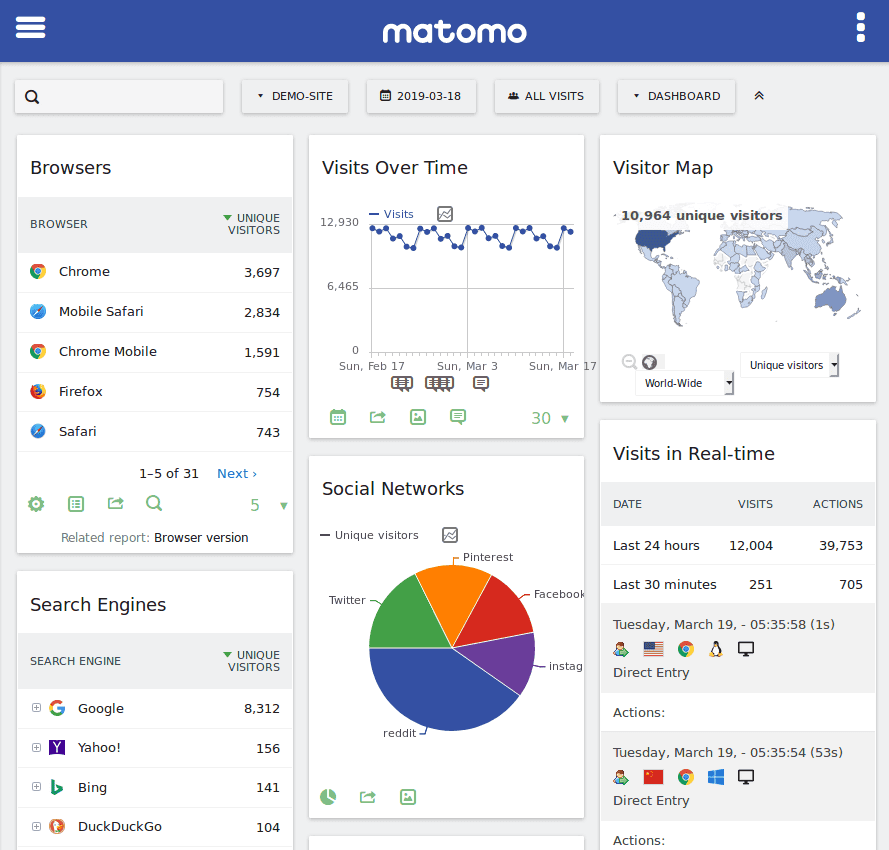
Matomo is an open-source analytics tool that gives full data ownership.
It ranks among the best analytics tools for ecommerce because it supports detailed tracking, privacy compliance, and flexible hosting options.
Use it on your own server or in the cloud, your choice.
Features of Matomo
- Tracks web and mobile analytics, ecommerce, funnels, goals, content, and campaigns
- Includes heatmaps, session recordings, form analytics, A/B testing (via plugins)
- No data sampling, full raw data access, GDPR/CCPA support, and optional EU-hosted cloud
- Integrates with tag manager, custom reports, multi-channel attribution, and over 100 integrations
Pricing of Matomo
- Self-hosted: Free download under GPL license (own hosting costs apply)
- Cloud: Starts at about €23/month (+ €83–€219/year for features like A/B testing)
- Enterprise/Premium bundle: Ranges from ~$1,899 to $5,699/year, includes heatmaps, funnels, session recordings, roll-up reports, SAML, and custom domain
Limitations of Matomo
- Interface can feel dated and setup may be more complex than GA4
- Costs and complexity grow with premium plugins and enterprise plans
- No AI-powered insights, analysis relies on manual work
7. Plausible Analytics
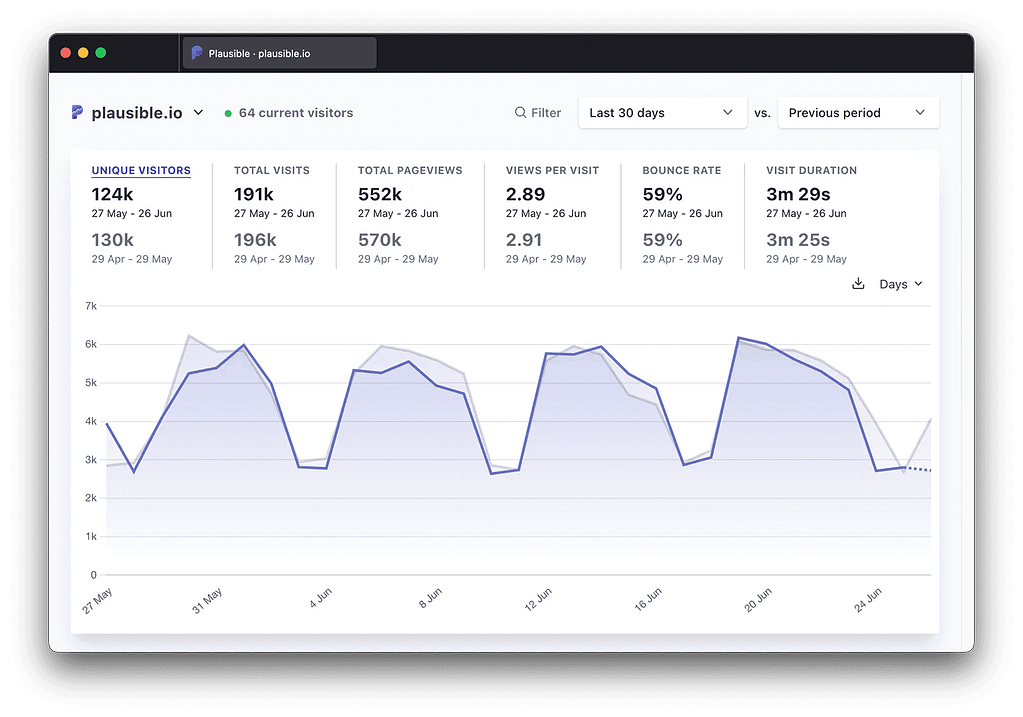
Plausible Analytics is among the best analytics tools for ecommerce teams that value simplicity and privacy.
The script is lightweight (under 1 KB), and it doesn’t use cookies or collect personal data.
It works out of the box for tracking page views, custom events, and goals.
Features of Plausible Analytics
- Tracks page views, referrers, bounce rate, time on page, and campaign performance in real time
- Supports custom events and goal tracking (e.g., clicks, sign-ups, purchases)
- No cookies and no personal data, GDPR, CCPA, PECR compliant
- Open-source and self-hostable, or use hosted cloud with EU data storage
- Clean, one-page dashboard, no clutter or learning curve
Pricing of Plausible Analytics
- Starts at $9/month for up to 10,000 page views, supports unlimited sites and data retention
- Higher tiers scale by page views: $19 for 100K, $49 for 500K, $69 for 1 M, $129 for 5 M, $169 for 10 M+
- 30-day free trial, no credit card required
Limitations of Plausible Analytics
- No session replay, heatmaps, or advanced funnels, stick to basic site metrics
- Not ideal for deep behavior analysis or granular user journey tracking
- Requires manual tagging for events beyond basic goals
Bonus: Tools That Help You Set Up Better Tracking
In addition to the best analytics tools, there are a few other tools that don’t collect data themselves but help you manage, deliver, and improve your tracking setup.
These are especially useful for ecommerce stores that want clean, reliable data. Here are the most well known tools that help you set up better tracking:
1. Google Tag Manager (GTM)
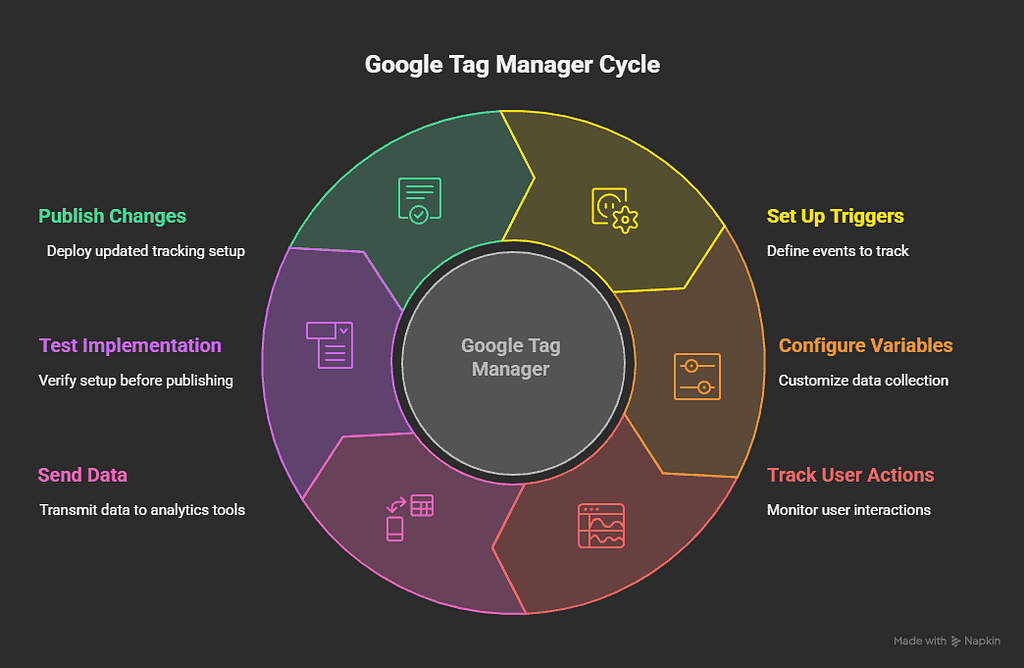
Google Tag Manager is a tool that helps you manage tracking tags without editing your website’s code. Instead of placing each script manually, you control everything from a single interface.
Inside GTM, you can set up triggers (like a page view or button click) and variables to decide when and how data is sent.
This setup allows you to track user actions, run pixels, and send events to tools like GA4, Meta Pixel, and TikTok Pixel from one place.
GTM helps:
- Track clicks, form submissions, scrolls, and more using rule-based triggers
- Centralize your tracking setup, reducing duplicate or missing tags
- Test your implementation with a built-in preview mode before publishing changes
It keeps your tracking organized and flexible, especially as your site or campaigns grow.
2. Meta Pixel
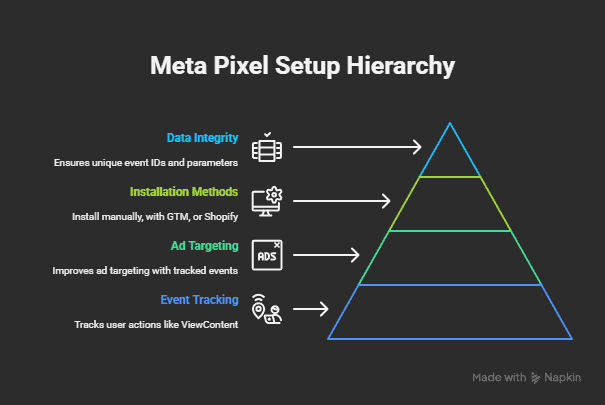
Meta Pixel tracks user actions on your site and sends that data to Facebook (Meta) for ad performance and audience targeting.
It’s important for ecommerce brands running Facebook or Instagram ads.
For beginners, here’s what to know:
- It tracks events like ViewContent, AddToCart, InitiateCheckout, and Purchase
- These events help improve ad targeting and report on conversions in Meta Ads Manager
- You can install the pixel manually, with GTM, or through your ecommerce platform (like Shopify)
To get clean data, make sure:
- You’re not sending the same event twice (e.g., from both GTM and Shopify natively)
- You use a unique event ID to help with deduplication if you add server-side tracking later
- Your event parameters (value, currency, content IDs) match what Meta expects
Even a small mistake in setup, like a missing event or inconsistent naming, can lead to inaccurate ad reports or poor optimization.
3. TikTok Pixel
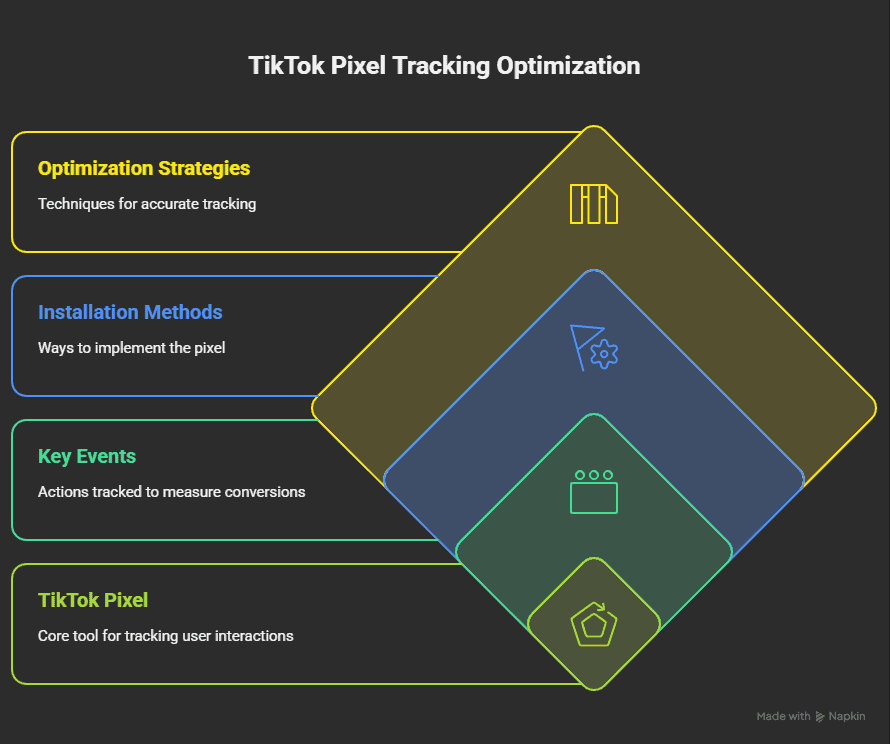
TikTok Pixel tracks how visitors from TikTok interact with your website. It helps measure conversions and improve the performance of your ads on the TikTok platform.
It supports key events like ViewContent, AddToCart, PlaceOrder, and other custom actions. These events help TikTok understand user behavior and optimize ads for the actions that matter most.
The pixel can be installed through TikTok’s Events Manager, Google Tag Manager, or directly through ecommerce platforms like Shopify.
To keep tracking clean and accurate:
- Use consistent event names and parameters (such as value and currency)
- Avoid duplicate events if you’re also using Shopify’s native TikTok integration or server-side tracking
- Test your implementation using TikTok’s Pixel Helper browser extension
TikTok also supports server-side tracking. When using both browser and server methods, include an event ID to help the system match and deduplicate the events correctly.
4. Server-side Tracking
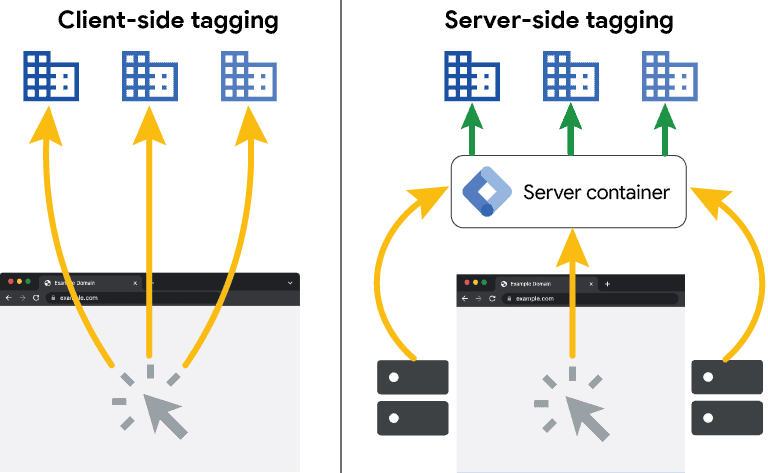
Server-side tracking sends data to analytics or ad platforms from your server instead of the user’s browser.
This makes tracking more reliable by avoiding issues caused by ad blockers, browser restrictions, or network errors.
Instead of firing events directly from the site, the browser sends the data to your server, and the server forwards it to platforms like GA4, Meta, or TikTok.
This setup reduces data loss and gives you more control over what gets sent.
Tools like Server-side Google Tag Manager (sGTM) help manage this process. You can define how events are received and where they’re forwarded.
A few benefits:
- More consistent tracking across different browsers and devices
- Better control over what data is shared
- Improved performance in ad platforms due to more complete event delivery
To make it work well:
- Use matching event IDs between browser and server events to prevent duplicates
- Set up consent checks to stay privacy-compliant
- Use a managed service (like Stape) or set up your own tagging server
FAQ: Top Website Analytics Tools in 2025
Here are the frequently asked questions about the best analytics tools in 2025:
1. What is the best alternative analytics tool to GA4?
Some of the best analytics tools that serve as GA4 alternatives are Plausible, Matomo, and Piwik PRO. These tools focus on privacy, give you full control over your data, and are easier to configure in certain use cases. Matomo supports advanced features like ecommerce tracking and session recordings, while Plausible offers a lightweight, cookie-free setup.
2. Which analytics tools are best for GDPR compliance?
The best analytics tools for GDPR compliance include Plausible, Matomo, Piwik PRO, and Umami. These tools either avoid using cookies or provide built-in consent management. Most of them offer options for EU-based hosting or self-hosting, which helps keep your data under control and compliant with privacy regulations.
3. What’s the easiest analytics tool to set up for beginners?
Plausible and Umami are among the best analytics tools when it comes to simple setup. Both tools avoid complex configurations, offer a clean dashboard, and require minimal installation steps. They’re ideal for teams that want basic metrics like page views and traffic sources without extra overhead.
4. What are the best website analytics tools in 2025?
Some of the best analytics tools for websites in 2025 include Google Analytics 4, Matomo, Plausible, and Piwik PRO. GA4 is powerful and widely used, while the others offer more privacy and easier access to raw data. These tools help you track page views, user behavior, conversions, and traffic channels in different ways.
5. What are some best data analysis tools used in ecommerce?
The best analytics tools for ecommerce data analysis are GA4, Amplitude, and Looker Studio. GA4 helps track user behavior and transactions, Amplitude dives deeper into product usage and funnels, and Looker Studio visualizes data from multiple sources. Using them together can give a clearer picture of performance.
6. What are the best open source data analytics tools?
Matomo and Umami are two of the best analytics tools that are open source. They can be self-hosted, which gives you full control over your data and infrastructure. Matomo includes advanced features like goal tracking and session recordings, while Umami is lightweight and privacy-friendly.
7. What are AI data analysis tools and how are they used?
AI-powered analytics tools use machine learning to surface patterns and predict behavior. For example, GA4 includes predictive metrics like purchase probability and churn risk. Platforms like Amplitude or Mixpanel also offer automated insights that help you spot trends without manual reporting.
8. How can I make sure TikTok Pixel is set up correctly?
To ensure TikTok Pixel works correctly, use consistent event names and parameters like value and currency. Avoid sending the same event twice if you’re combining browser and server-side tracking. TikTok’s Pixel Helper browser extension helps test and debug your setup.
9. What tools do I need for server-side tracking?
To set up server-side tracking, you’ll need a tagging server and a management tool like Server-side Google Tag Manager (sGTM). These help you forward events from your server to platforms like GA4 or Meta Pixel. You can host the setup yourself or use a managed service like Stape.
10. How do I prevent duplicate events in server-side tracking?
To avoid duplicate events when using both browser and server-side tracking, use a unique event ID for each action. This allows platforms like GA4 and Meta Ads to recognize and match the two versions of the same event. Without proper deduplication, your data may be inflated or misattributed.
Conclusion: Top Data Analytics Tools in 2025
There’s no single tool that fits every need, but the best analytics tools in 2025 give you plenty of solid options.
Whether you need simple reports, privacy-first tracking, or advanced behavior analysis, the key is to start with a clean setup and choose tools that match your goals.
Once your data is reliable, everything else, reporting, optimization, growth, gets easier.
Read More
- Custom HTML Tag in GTM: Klaviyo Event Listeners
- Does My Website Need Google Consent Mode For Tracking?
- Best Analytics Tools in 2025: Compared and Ranked
- Using Custom HTML Tags in Google Tag Manager (GTM)

Leave a Reply